In today’s fast-paced digital world, ensuring your website or web application performs consistently across different browsers and devices is not just recommended — it’s essential. Whether you’re an agency, developer, QA engineer, or e-commerce business owner, cross-browser and cross-device compatibility is crucial for delivering seamless user experiences. For those targeting UK users or global users accessing UK-based services, UK Windows RDP (Remote Desktop Protocol) offers a powerful and efficient way to test your applications in a localized and controlled environment.
In this article, we’ll explore why and how UK-based RDPs are ideal for cross-browser and device testing, and how platforms like 99RDP make the process incredibly smooth.
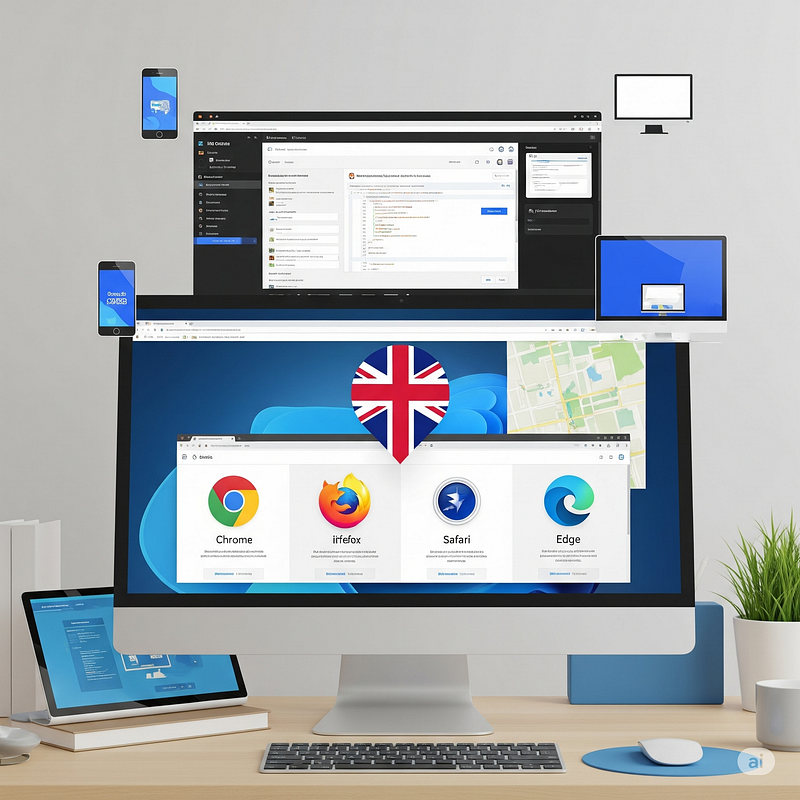
Why Cross-Browser and Device Testing Matters
Each browser — Chrome, Firefox, Safari, Edge, Opera — renders web content slightly differently due to its unique rendering engine and standards support. Similarly, different devices (phones, tablets, desktops) with varying screen sizes, operating systems, and resolutions can dramatically affect how a site appears or functions.
Without proper testing, you may encounter:
- Layout breakages on smaller screens.
- Functionality issues on older browsers.
- Performance slowdowns on certain operating systems.
- Localization bugs for UK-specific content or settings.
Failing to identify these problems before launch can hurt your user experience, brand credibility, and ultimately your revenue.
Why Use a UK Windows RDP for Testing?
1. Access to a True UK Environment
When using a UK-based RDP, you’re connecting to a machine physically located in the UK, meaning:
- Websites and apps render with UK-specific content (currency, date/time formats, location services).
- Geo-restricted features or ads will appear as they would to a UK visitor.
- You can test CDN delivery speeds and latency from a real UK IP.
This makes it ideal for developers and testers working remotely but needing a local UK experience.
2. Install and Run Multiple Browsers with Ease
Using RDP, you gain full admin access to install any version of:
- Google Chrome (including Canary builds)
- Mozilla Firefox
- Microsoft Edge
- Opera
- Safari (via cross-platform tools or emulators)
You can test side-by-side without affecting your local machine.
3. Support for Automation Tools and Testing Frameworks
With a powerful UK RDP (like those offered by 99RDP), you can easily install automation tools like:
- Selenium WebDriver
- BrowserStack Local
- Puppeteer
- Postman
- Browserling, TestCafe, or LambdaTest
This lets you automate your test scripts for different browser versions, environments, and screen sizes — right from a UK location.
4. Mobile Device Emulation and Remote Device Labs
Modern browsers come with built-in mobile device emulators. You can test mobile views on:
- iPhone, iPad
- Android devices
- Various custom screen sizes
Advanced testers can even connect RDP with cloud-based device labs (like BrowserStack or Sauce Labs) to conduct real-device testing, while the RDP handles the heavy lifting from a UK IP.
5. Secure, Always-Online, and Scalable
With an RDP from 99RDP:
- You don’t need to run tests on your local hardware.
- Your testing workstation is always online and accessible 24/7.
- You get high uptime, bandwidth, and admin-level control to install or configure anything.
- Add more users or scale up resources easily for your testing team.
Key Use Cases
✅ Web Development Teams
Quickly validate website changes in various browsers without setting up local VMs.
✅ Quality Assurance (QA) Engineers
Run automated tests from a UK-based environment to simulate real-user interactions.
✅ E-Commerce Owners
Test UK checkout flows, payment gateway integrations, and customer journeys for UK-based traffic.
✅ SEO & Marketing Professionals
Check how location-based popups, banners, or content personalization works for UK visitors.
How to Get Started with UK RDP for Cross-Browser Testing
Here’s a step-by-step guide:
- Choose a Reliable Provider
Visit 99RDP and select a UK RDP plan that suits your needs. Their plans come with:
- Unlimited bandwidth
- Admin access
- High-speed SSD storage
- Full compatibility with testing tools
- Set Up Browsers and Tools
After logging into the RDP:
- Install the browsers you want to test.
- Install DevTools extensions or emulators.
- Configure Selenium Grid or local servers if needed.
- Test Across Devices
Use browser developer tools or connect to cloud device platforms like BrowserStack for a real-device experience. - Automate and Monitor
Run automated test cases during off-hours or overnight using scheduling tools inside the RDP.
Why Choose 99RDP for Your UK RDP Needs?
99RDP is a trusted name in remote desktop services. Their UK RDP hosting solutions are particularly well-suited for development, QA, and testing teams looking to perform robust, location-specific browser and device testing.
Here’s what makes 99RDP stand out:
- UK Location with True Residential and Data Center IPs
- Unlimited Bandwidth
- SSD-Based Performance
- Admin Access for Custom Configurations
- 24/7 Technical Support
Whether you’re an individual developer or a full-stack team, 99RDP makes cross-browser and device testing seamless, scalable, and location-accurate.
Final Thoughts
Cross-browser and device testing is no longer optional — it’s a necessity. By using a UK-based RDP, you can replicate real user conditions from the UK, improve the accuracy of your test results, and ensure that your application works perfectly across all environments.
If you’re ready to level up your testing setup with powerful and reliable UK RDP access, check out 99RDP’s UK RDP plans and get started today.


No comments:
Post a Comment