Monday, June 30, 2025

Automating Daily Tasks with Scripts and Bots on UK Windows RDP

In today’s fast-paced digital landscape, time is money. Businesses, freelancers, and IT professionals alike are looking for ways to optimize their daily operations. One of the most effective ways to boost productivity and reduce manual work is by automating routine tasks with scripts and bots. And when it comes to reliability and performance, UK Windows RDP from 99RDP offers the perfect environment to deploy and run your automation tools 24/7.

Whether you're managing web scraping, sending scheduled emails, performing data backups, or automating browser tasks, UK Windows RDP gives you a powerful remote desktop platform that’s always online, secure, and easily configurable.


Why Automate with UK Windows RDP?

Before diving into the “how,” let’s explore the benefits of using UK-based Windows RDP for automation:

  • 24/7 Uptime: Run your scripts and bots continuously without interruptions.

  • Low Latency: Ideal for accessing UK-based websites or APIs quickly.

  • Remote Accessibility: Manage your bots from anywhere in the world via remote desktop.

  • High-Speed Bandwidth: Ensure seamless operation, especially for data-intensive bots.

  • Secure Environment: UK RDPs from 99RDP come with robust firewall and antivirus configurations.

Use Cases: What Can You Automate?

Here are some common daily tasks that users automate with scripts and bots on UK Windows RDP:

1. Web Scraping and Data Extraction

Collect data from UK-specific websites using Python (with BeautifulSoup, Scrapy, or Selenium) or browser automation tools. Ideal for market research, price monitoring, or news aggregation.

2. Email Automation

Use PowerShell or Python to schedule and send emails automatically. Great for daily reports, newsletters, or client follow-ups.

3. File Backups and System Maintenance

Automate daily backups of important files or folders using batch scripts or PowerShell. Schedule disk cleanup tasks and antivirus scans as well.

4. Social Media Posting

Bots can post content on platforms like Twitter, LinkedIn, or Facebook using APIs and scheduled cron jobs. Perfect for marketers who want to stay consistent.

5. Browser Automation

Use tools like iMacros, UI.Vision, or Selenium on the RDP to automate repetitive browser tasks like logging in, form submission, or downloading reports.

6. Running Forex or Trading Bots

Deploy trading bots on MT4/MT5 installed on the RDP to ensure uninterrupted, fast, and secure execution—especially relevant to UK-based brokers.

Tools You Can Use on UK Windows RDP

Here are a few popular tools and scripting languages perfect for automation on your RDP:

  • Python – Versatile for scripting and bot creation.

  • PowerShell – Excellent for Windows-based automation.

  • AutoHotKey – Automate keystrokes and mouse movements.

  • Selenium – For browser automation with Chrome or Firefox.

  • Task Scheduler – Built-in Windows tool to schedule scripts.

  • BotChief / UBot Studio – No-code/low-code bot building platforms.

  • Node.js – Useful for web-based automation tasks.

Setting It All Up: Step-by-Step Guide

Here’s how to get started with automation on your UK Windows RDP from 99RDP:

✅ Step 1: Purchase and Access RDP

Visit 99RDP and choose a UK Windows RDP plan. Once your login credentials are provided, use Remote Desktop Connection (mstsc) to access the server.

✅ Step 2: Install Required Tools

Download Python, Node.js, or any required IDEs like Visual Studio Code. You can also install automation tools like Selenium WebDriver, AutoHotKey, etc.

✅ Step 3: Upload or Create Your Script

Use tools like WinSCP or Google Drive to upload your existing scripts. Or, write your new automation script directly using Notepad++, VS Code, or PowerShell ISE.

✅ Step 4: Schedule Your Task

Use Windows Task Scheduler:

  • Open Task Scheduler > Create Basic Task.

  • Select time/frequency.

  • Choose “Start a Program” and link to your script.

✅ Step 5: Monitor or Let It Run in Background

You can either keep an eye on the script via RDP or disconnect and let it run 24/7. 99RDP's infrastructure ensures that your tasks keep running even when you log off.

Best Practices for Safe and Efficient Automation

  • 🔒 Use Anti-Virus and Firewalls: Protect your bots from malware or ransomware attacks.

  • 🧩 Use Virtual Environments (for Python): Keep dependencies isolated and organized.

  • 📅 Log Everything: Always maintain logs for error tracking and debugging.

  • 🚦 Throttle Requests (for Bots): Avoid getting blacklisted or blocked while scraping.

  • 🧠 Test Locally First: Before deploying, test your script on a local machine or dummy RDP.

Why Choose 99RDP for UK Windows RDP?

At 99RDP, we provide high-performance UK RDP solutions optimized for automation, browsing, development, and remote work. Our features include:

  • ⚡ SSD Storage and High RAM

  • 🔄 Unlimited Bandwidth Options

  • 🌐 UK IP for accessing geo-restricted content

  • 🔐 Strong Security and Admin Access

  • 💬 24/7 Live Support

Whether you're a developer building bots, a marketer managing accounts, or an analyst scraping data, 99RDP offers the reliability and performance you need to automate without limits.

Final Thoughts

Automating daily tasks through scripts and bots can save you countless hours and boost your productivity. With the power and flexibility of a UK Windows RDP from 99RDP, you get the perfect environment to develop, deploy, and manage your automations from anywhere in the world.

So why wait? Supercharge your workflow—start automating today with 99RDP!

Explore UK Windows RDP Plans Now at 99RDP


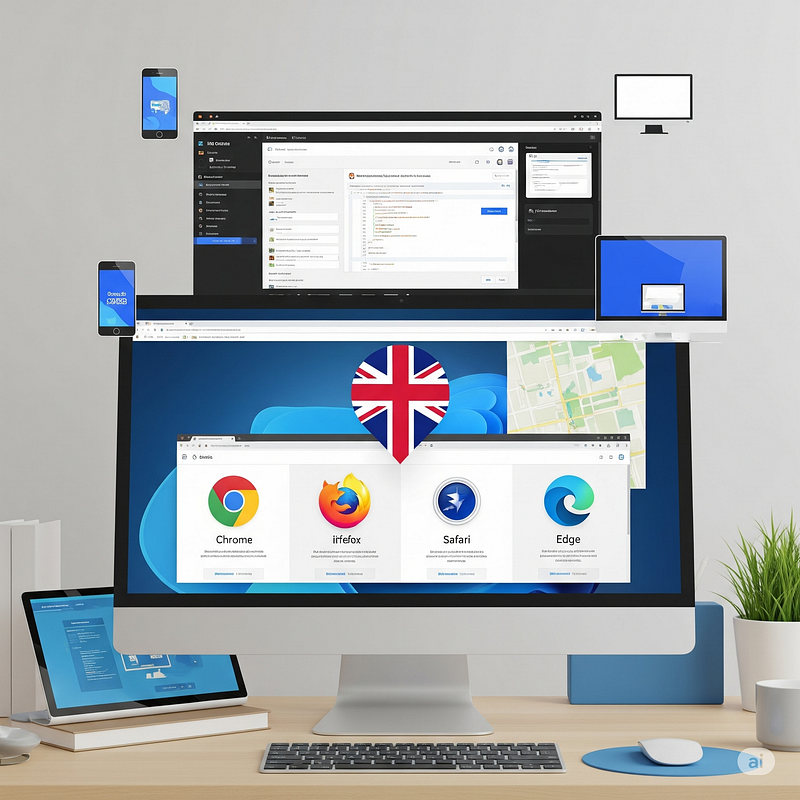
Cross-Browser and Device Testing from the UK Using RDP

In today’s fast-paced digital world, ensuring your website or web application performs consistently across different browsers and devices is not just recommended — it’s essential. Whether you’re an agency, developer, QA engineer, or e-commerce business owner, cross-browser and cross-device compatibility is crucial for delivering seamless user experiences. For those targeting UK users or global users accessing UK-based services, UK Windows RDP (Remote Desktop Protocol) offers a powerful and efficient way to test your applications in a localized and controlled environment.

In this article, we’ll explore why and how UK-based RDPs are ideal for cross-browser and device testing, and how platforms like 99RDP make the process incredibly smooth.

Why Cross-Browser and Device Testing Matters

Each browser — Chrome, Firefox, Safari, Edge, Opera — renders web content slightly differently due to its unique rendering engine and standards support. Similarly, different devices (phones, tablets, desktops) with varying screen sizes, operating systems, and resolutions can dramatically affect how a site appears or functions.

Without proper testing, you may encounter:

  • Layout breakages on smaller screens.
  • Functionality issues on older browsers.
  • Performance slowdowns on certain operating systems.
  • Localization bugs for UK-specific content or settings.

Failing to identify these problems before launch can hurt your user experience, brand credibility, and ultimately your revenue.

Why Use a UK Windows RDP for Testing?

1. Access to a True UK Environment

When using a UK-based RDP, you’re connecting to a machine physically located in the UK, meaning:

  • Websites and apps render with UK-specific content (currency, date/time formats, location services).
  • Geo-restricted features or ads will appear as they would to a UK visitor.
  • You can test CDN delivery speeds and latency from a real UK IP.

This makes it ideal for developers and testers working remotely but needing a local UK experience.

2. Install and Run Multiple Browsers with Ease

Using RDP, you gain full admin access to install any version of:

  • Google Chrome (including Canary builds)
  • Mozilla Firefox
  • Microsoft Edge
  • Opera
  • Safari (via cross-platform tools or emulators)

You can test side-by-side without affecting your local machine.

3. Support for Automation Tools and Testing Frameworks

With a powerful UK RDP (like those offered by 99RDP), you can easily install automation tools like:

  • Selenium WebDriver
  • BrowserStack Local
  • Puppeteer
  • Postman
  • Browserling, TestCafe, or LambdaTest

This lets you automate your test scripts for different browser versions, environments, and screen sizes — right from a UK location.

4. Mobile Device Emulation and Remote Device Labs

Modern browsers come with built-in mobile device emulators. You can test mobile views on:

  • iPhone, iPad
  • Android devices
  • Various custom screen sizes

Advanced testers can even connect RDP with cloud-based device labs (like BrowserStack or Sauce Labs) to conduct real-device testing, while the RDP handles the heavy lifting from a UK IP.

5. Secure, Always-Online, and Scalable

With an RDP from 99RDP:

  • You don’t need to run tests on your local hardware.
  • Your testing workstation is always online and accessible 24/7.
  • You get high uptime, bandwidth, and admin-level control to install or configure anything.
  • Add more users or scale up resources easily for your testing team.

Key Use Cases

✅ Web Development Teams

Quickly validate website changes in various browsers without setting up local VMs.

✅ Quality Assurance (QA) Engineers

Run automated tests from a UK-based environment to simulate real-user interactions.

✅ E-Commerce Owners

Test UK checkout flows, payment gateway integrations, and customer journeys for UK-based traffic.

✅ SEO & Marketing Professionals

Check how location-based popups, banners, or content personalization works for UK visitors.

How to Get Started with UK RDP for Cross-Browser Testing

Here’s a step-by-step guide:

  1. Choose a Reliable Provider
     Visit 99RDP and select a UK RDP plan that suits your needs. Their plans come with:
  • Unlimited bandwidth
  • Admin access
  • High-speed SSD storage
  • Full compatibility with testing tools
  1. Set Up Browsers and Tools
     After logging into the RDP:
  • Install the browsers you want to test.
  • Install DevTools extensions or emulators.
  • Configure Selenium Grid or local servers if needed.
  1. Test Across Devices
     Use browser developer tools or connect to cloud device platforms like BrowserStack for a real-device experience.
  2. Automate and Monitor
     Run automated test cases during off-hours or overnight using scheduling tools inside the RDP.

Why Choose 99RDP for Your UK RDP Needs?

99RDP is a trusted name in remote desktop services. Their UK RDP hosting solutions are particularly well-suited for development, QA, and testing teams looking to perform robust, location-specific browser and device testing.

Here’s what makes 99RDP stand out:

  • UK Location with True Residential and Data Center IPs
  • Unlimited Bandwidth
  • SSD-Based Performance
  • Admin Access for Custom Configurations
  • 24/7 Technical Support

Whether you’re an individual developer or a full-stack team, 99RDP makes cross-browser and device testing seamless, scalable, and location-accurate.

Final Thoughts

Cross-browser and device testing is no longer optional — it’s a necessity. By using a UK-based RDP, you can replicate real user conditions from the UK, improve the accuracy of your test results, and ensure that your application works perfectly across all environments.

If you’re ready to level up your testing setup with powerful and reliable UK RDP access, check out 99RDP’s UK RDP plans and get started today.


How to Test UK-Based Web Apps and APIs Using UK Windows RDP

Leverage UK RDP for Accurate, Secure, and Efficient Testing

Brought to you by 99RDP – Reliable UK RDP Solutions

Introduction

When it comes to testing web apps and APIs, location matters—especially if your application is tailored for UK-based users or needs to interact with region-specific services like UK payment gateways, geo-restricted content, or local search engines. That's where UK Windows RDP comes into play. Using a UK-based Remote Desktop Protocol (RDP), developers and testers can simulate real-world scenarios as if they were physically in the United Kingdom.

In this comprehensive guide, we’ll explore how to use UK Windows RDP to test web applications and APIs effectively, and why choosing a reliable provider like 99RDP can make all the difference.


Why Use UK Windows RDP for Web App and API Testing?

✅ Real UK IP Address

Testing from a UK RDP ensures you're using a genuine UK IP, enabling accurate geo-location-based testing. This is crucial for:

  • GDPR-compliant data flows

  • UK payment processors

  • Localized versions of your site or API

✅ Better Performance and Latency

If your end users are in the UK, you can analyze load times, latency, and performance metrics exactly as they experience them.

✅ Bypass Geo-Restrictions

Some third-party APIs or services (like content providers or financial APIs) are only available in the UK. UK RDP allows full access.

✅ Always-On Environment

With 99RDP’s always-on UK RDP, you can automate test suites using tools like Selenium, Postman, or JMeter without worrying about local machine limitations.

Step-by-Step: How to Test UK Web Apps and APIs on UK Windows RDP

Step 1: Get a UK Windows RDP from 99RDP

Start by choosing a plan that fits your requirements. 99RDP offers a range of UK-based RDP solutions with SSD storage, unlimited bandwidth, and admin access.

Visit 👉 https://99rdp.com

Step 2: Log in to Your RDP

Once you’ve received your credentials:

  • On Windows: Use the Remote Desktop Connection tool

  • On macOS/Linux: Use clients like Microsoft Remote Desktop or Remmina

Enter the RDP IP, username, and password provided by 99RDP.

Step 3: Set Up Your Development or Testing Environment

Install your preferred tools inside the RDP environment. Recommended tools include:

  • Postman for REST API testing

  • Selenium for browser automation

  • Fiddler or Charles Proxy for inspecting HTTP traffic

  • Visual Studio Code or Notepad++ for coding and debugging

  • JMeter for performance and load testing

You can also install Docker or Node.js to test full-stack applications.

Step 4: Test Your Web App in UK Conditions

Now that your tools are ready, test:

  • Local CDN performance from the UK

  • Cookies and session behavior affected by location

  • Currency conversions, payment gateways, and VAT calculators

  • Search engine rankings from UK-specific queries (e.g., Google UK)

  • Language switches or locale-based redirects

Step 5: Run API Tests for Geo-Specific Data

Some APIs provide different results based on user location (IP geolocation). With a UK RDP:

  • Test UK weather APIs, postcode lookups, or retail delivery APIs

  • Ensure APIs are returning correct UK-specific results

  • Use tools like curl, Postman, or Swagger UI within the RDP session

Step 6: Automate and Monitor

UK RDP can be your cloud test lab:

  • Schedule tests using Windows Task Scheduler or Jenkins

  • Monitor uptime, response time, and API health using Pingdom, New Relic, or Grafana agent

  • Best Practices When Testing on UK RDP

  • Keep browsers and scripts updated to mimic real user environments

  • Use incognito or reset cookies between test runs

  • Use VPN kill switch protection to avoid accidental IP switching

  • Isolate test environments using virtual machines or containers within your RDP

  • Secure your RDP with strong passwords and firewall rules

Why Choose 99RDP for UK Windows RDP?

At 99RDP, we offer more than just a remote desktop—we provide a powerful tool for developers and testers who need precision, speed, and reliability. Here’s why our UK RDP is a top choice:

  • 🔒 Genuine UK IPs (residential and datacenter options)

  • SSD Storage + Fast CPUs for performance testing

  • 💡 Full Admin Access for installing test tools

  • 🕒 99.99% Uptime with 24/7 support

  • 📈 Unlimited Bandwidth – ideal for API load testing

Whether you're testing a fintech app, media site, or e-commerce platform targeting UK users, 99RDP gives you the environment you need to get it right.

Conclusion

Testing web apps and APIs in the right geographic context is no longer optional—it’s essential. With UK Windows RDP, you get an authentic, secure, and consistent UK-based testing environment. From payment systems to local SEO, your application behaves exactly as your UK users would experience it.

Ready to start testing smarter?
👉 Choose a powerful, affordable UK RDP from 99RDP and ensure your app performs flawlessly in the UK market.

Keywords to Include (for SEO):
UK Windows RDP, API testing from UK, UK web app testing, geo-location API testing, 99RDP, UK RDP for developers, UK IP RDP, test from UK IP, Postman UK testing, Selenium on RDP

Avoiding IP Blocks and CAPTCHA Errors with UK Residential RDP

Published by 99RDP – Your Trusted Source for High-Performance UK Residential RDP

In today’s digital landscape, businesses, marketers, developers, and automation experts often face a frustrating challenge: frequent IP blocks and CAPTCHA verifications. These barriers slow down workflows, disrupt scraping tasks, and block access to websites—especially when using data center IPs or shared proxies. If you’re dealing with such hurdles in the UK or want to access UK-specific platforms without constant verification roadblocks, UK Residential RDP is your best bet.

In this comprehensive article, we’ll explore how UK Residential RDP from 99RDP helps you avoid these issues, boost productivity, and maintain reliable and seamless access to the web.


🚫 The Problem with Traditional RDP and Proxies

Most traditional RDP solutions use data center IPs, which are easily identifiable by websites as non-residential or “unnatural” traffic sources. As a result:

  • You are more likely to trigger CAPTCHA challenges (e.g., Google’s reCAPTCHA, hCaptcha).

  • Your IP gets flagged or blocked after multiple requests.

  • Login attempts on sensitive websites (e.g., social media, e-commerce, or banking) are restricted or flagged as suspicious.

  • Bots and scrapers running on standard servers face frequent IP bans.

This creates a constant cycle of needing new proxies or IPs—wasting both time and money.

✅ What is UK Residential RDP?

A UK Residential RDP provides you with a remote desktop hosted on a machine that uses a residential-grade IP address—the same type of IP used by regular UK households.

These residential IPs are assigned by ISPs (Internet Service Providers) and are seen as trustworthy and organic by websites. When you connect to a UK Residential RDP, websites treat your activity like that of a real UK-based user, not a bot or server.

99RDP’s UK Residential RDP offers robust, private, and fast UK residential machines that eliminate the risk of detection.

🔒 How UK Residential RDP Helps Avoid IP Blocks & CAPTCHAs

Here’s how UK Residential RDP gives you a smooth, uninterrupted browsing experience:

1. Bypassing CAPTCHA Verification

CAPTCHA challenges are triggered when websites detect suspicious activity from an unfamiliar or overused IP. With a residential RDP:

  • You operate from a real UK household IP.

  • Sites like Google, Facebook, LinkedIn, and Instagram see your traffic as organic.

  • Automation tools and bots can work without constant CAPTCHA interruptions.

2. Preventing IP Bans

Web scraping, SEO tools, account management, and social media automation can all cause data center IPs to be flagged. With a UK Residential RDP:

  • Your IP is less likely to get banned, even with high-volume tasks.

  • You can run scraping or crawling tools without being blacklisted.

  • Platforms like Amazon, eBay, and other geo-specific services work smoothly.

3. Avoiding Geo-blocks

Many UK-based services restrict access to users outside the country. Residential RDP ensures:

  • You have authentic UK-based access to local content, services, and platforms.

  • Streaming platforms, banking sites, and local marketplaces won’t block your session.

4. Managing Multiple Accounts

Running multiple accounts on websites often results in bans due to suspicious IP usage. UK Residential RDP provides:

  • Unique IPs for each session or instance.

  • Reduced risk of accounts being linked or flagged for bot-like behavior.

  • Secure, anonymous, and compliant automation.

🧰 Ideal Use Cases for UK Residential RDP

Whether you're an individual or a business, here are the ideal use cases where UK Residential RDP can make a difference:

  • Social Media Automation (e.g., Instagram bots, Facebook ad management)

  • SEO and SERP Monitoring

  • Sneaker botting and ticketing

  • Web scraping and crawling

  • Bypassing geo-restrictions on media content

  • Ad verification and affiliate tracking

  • Managing e-commerce stores across multiple platforms

  • Secure remote access with a UK IP for freelancers or remote workers

🌐 Why Choose 99RDP for UK Residential RDP?

99RDP is a trusted name in the RDP and VPS industry. Here’s what sets our UK Residential RDP apart:

  • Genuine UK ISP Residential IPs

  • Unlimited bandwidth and fast upload/download speeds

  • Private and isolated RDPs for secure browsing

  • Full admin access and customizable environments

  • 24/7 support from RDP experts

  • Instant setup and flexible pricing plans

With 99RDP, you not only avoid IP bans and CAPTCHAs—you also get a powerful, private, and scalable environment for your online operations.

🚀 Final Thoughts

If you’re tired of being blocked, flagged, or forced to prove you’re human every few clicks, it’s time to switch to a UK Residential RDP. Whether you’re managing online accounts, scraping websites, streaming UK-only content, or working remotely, the residential IP ensures you fly under the radar of detection systems.

Avoid the frustration. Embrace smooth access. And let 99RDP power your UK-based online presence with residential precision.

Explore UK Residential RDP plans today at 99RDP.com – your gateway to safer, smarter, and more stable remote computing.


Why UK Windows RDP Is Better Than a VPN for Online Privacy

In a world where digital surveillance, data breaches, and geo-restrictions are increasingly common, online privacy has become more than just a concern—it’s a necessity. While many turn to VPNs to protect their digital footprint, a more robust and secure alternative exists: UK Windows RDP (Remote Desktop Protocol). If you’re serious about maintaining true online privacy, UK Windows RDP solutions from trusted providers like 99RDP offer a level of control and anonymity that VPNs simply can't match.

In this article, we’ll explore why UK Windows RDP is better than a VPN for online privacy, and how it can transform your internet experience.


Understanding the Basics: VPN vs. RDP

Before we dive into the comparison, let’s clarify what VPNs and RDPs actually do:

  • VPN (Virtual Private Network): A VPN masks your IP address and encrypts your internet connection. It routes your traffic through a remote server, giving the illusion of browsing from another country.

  • RDP (Remote Desktop Protocol): RDP allows you to connect to a remote Windows machine over the internet. You’re not just routing traffic — you're operating an entirely different computer (hosted in the UK, in this case), complete with its own IP, hardware, and software environment.

Why UK Windows RDP Beats VPN for Online Privacy

1. Full Isolation from Your Personal Device

With a VPN, all your internet traffic still originates from your local device — meaning if your system is compromised, your VPN can’t protect you from malware, spyware, or keyloggers.

UK Windows RDP, however, provides a completely separate environment. When you use an RDP, all activity is executed on the remote machine. Your personal device acts merely as a viewer or controller. This full isolation means:

  • No direct exposure of your real IP or local files.

  • Even if your personal system is infected, your remote RDP session remains secure.

99RDP offers high-security UK RDPs with private access, ensuring zero traceability from your end.

2. Dedicated UK IP Address for True Anonymity

Most VPNs share IP addresses among hundreds or even thousands of users. These shared IPs can be easily blacklisted or flagged by websites and platforms.

With UK Windows RDP from 99RDP, you get a dedicated IP address. This provides:

  • Higher trust with websites and services.

  • Minimal risk of IP blocks or CAPTCHA spam.

  • A stable UK presence — ideal for anonymous browsing or region-specific work.

3. Avoid Browser Fingerprinting and Device Tracking

Websites now use advanced techniques like browser fingerprinting to track users. VPNs don’t stop this, since they only mask your IP address, not your browser type, plugins, or screen resolution.

When using an RDP, however:

  • You’re browsing from a completely different machine.

  • The remote browser’s fingerprint is entirely separate from your local device.

  • You can even install custom configurations, browsers, and anti-fingerprinting tools on the RDP.

4. No Bandwidth Leaks or DNS Leaks

VPNs are vulnerable to DNS leaks, which can expose your real IP address despite being connected. Improper VPN configuration or faulty software can jeopardize your privacy.

UK RDP avoids this altogether:

  • The DNS requests originate and resolve entirely on the remote server.

  • No DNS or WebRTC leaks from your local machine.

  • You’re using the internet “as if” you are physically located in the UK.

5. Multi-Use Functionality Beyond Just Privacy

While VPNs are primarily used for masking your IP, UK Windows RDP offers so much more:

  • Run bots, scrapers, or automation tools in the UK environment.

  • Host websites or trading platforms from a remote desktop.

  • Use UK-only services like BBC iPlayer, UK banking, or local marketplaces.

With 99RDP’s affordable and high-speed UK Windows RDP plans, you can turn your RDP into a virtual office or secure workstation, not just a privacy tool.

6. 24/7 Remote Accessibility from Anywhere

Unlike VPNs which require your local device to stay powered and active, RDPs stay always online — even if you shut down your personal device.

That means:

  • You can start tasks, downloads, or browsing sessions and disconnect without interruption.

  • Log in again from any device, anywhere in the world, and pick up where you left off.

This adds a layer of convenience and stealth that VPNs cannot provide.

VPN vs. RDP for Online Privacy: Key Differences

Feature VPN UK Windows RDP
IP Masking Yes (Shared/Static) Yes (Dedicated)
Full System Isolation
DNS/WebRTC Leak Protection Not Guaranteed Guaranteed
Anti-Fingerprinting
Long-Term Remote Access
Multi-Tool Usage (e.g. trading bots, scrapers)
Use UK Local Services Seamlessly Partially Fully

When to Choose UK Windows RDP Over a VPN

Choose UK Windows RDP if you:

  • Want complete isolation between your personal device and online activities.

  • Need dedicated UK IP with no risk of being blacklisted.

  • Run privacy-critical tasks like managing multiple online accounts, automation tools, or accessing UK-only platforms.

  • Are a digital nomad, freelancer, or trader needing 24/7 access to a secure system.

Conclusion: Privacy Redefined with UK Windows RDP from 99RDP

While VPNs are still useful for casual IP masking and accessing geo-blocked content, they simply don’t offer the depth of privacy, control, and isolation that a UK Windows RDP does. For those who value true online anonymity, data security, and operational flexibility, UK RDP is a superior choice.

Ready to take your privacy to the next level?

👉 Explore affordable, high-speed UK Windows RDP plans at 99RDP — and enjoy secure, private, and unrestricted internet access like never before.


Using UK Windows RDP to Protect Your Identity Online

In an age of increasing cyber surveillance, data breaches, and privacy concerns, protecting your online identity is more important than ever. Whether you're a digital nomad, a freelancer, a remote worker, or someone just browsing the web, using a UK Windows RDP (Remote Desktop Protocol) can be a powerful way to mask your identity, enhance anonymity, and add an extra layer of security to your online activities.

In this article, we’ll explore how UK Windows RDP works, how it helps you protect your identity online, and why 99RDP is a reliable provider for secure RDP solutions.


What is UK Windows RDP?

UK Windows RDP is a virtual desktop hosted on a remote server located in the United Kingdom. When you connect to an RDP, you gain access to a full-fledged Windows environment that runs remotely, separate from your local device. All internet activity, applications, and data processing happen within the RDP—not on your personal machine.

This means that websites, trackers, and potential attackers see the RDP’s IP address and location (UK), not yours.

You can get affordable, high-performance UK RDP plans from 99RDP, which are designed to ensure both security and speed for all kinds of users.

Why Identity Protection is Critical Online

Every time you connect to the internet, you leave behind digital fingerprints:

  • Your IP address reveals your location.

  • Cookies and trackers monitor your browsing habits.

  • ISPs can log your activity.

  • Public Wi-Fi networks expose your device to man-in-the-middle attacks.

This can lead to:

  • Identity theft

  • Targeted ads and profiling

  • Surveillance and monitoring

  • Unauthorized access to sensitive information

Using a UK Windows RDP helps reduce these risks significantly.

How UK Windows RDP Protects Your Identity

✅ 1. Masks Your IP Address

When you access the internet through a UK RDP, websites see the IP of the remote server, not your real one. This is perfect for:

  • Bypassing location-based restrictions

  • Protecting your real geolocation

  • Avoiding ISP tracking

✅ 2. Adds a Secure Buffer Between You and the Web

RDP acts like a protective shield. Any malicious website, software, or attacker only interacts with the remote desktop, not your actual device. Your main system remains isolated and secure.

✅ 3. Private, Encrypted Connections

All reputable RDP providers, including 99RDP, offer encrypted RDP sessions. This means data transmitted between your computer and the RDP server is secure, even over public or shared networks.

✅ 4. Local UK Presence Without Being There

Using a UK IP address gives you the advantage of appearing locally based in the UK. This is useful for:

  • Managing UK-based accounts

  • Bypassing geo-blocks (like BBC iPlayer, UK websites, financial platforms)

  • Avoiding suspicious login alerts from platforms that detect foreign logins

✅ 5. Anonymous Browsing and File Handling

Any downloads, software installations, or browsing done within the RDP environment are separated from your local device. This allows for:

  • Safer experimentation with software/tools

  • Isolated environments for scraping or automation

  • Anonymous communication or transaction processing

Who Should Use UK Windows RDP for Identity Protection?

Here are some groups that can benefit from using UK Windows RDP:

  • Journalists and Whistleblowers: Maintain anonymity while researching or communicating.

  • Forex and Crypto Traders: Access platforms without risking IP bans or regional restrictions.

  • Freelancers & Remote Workers: Appear locally based in the UK for clients or platforms.

  • SEO Professionals & Web Scrapers: Use multiple RDPs for clean UK IPs and avoid detection.

  • Everyday Internet Users: Browse anonymously and protect yourself from ISP tracking and hackers.

Benefits of Using 99RDP’s UK Windows RDP

At 99RDP, we provide powerful UK-based Windows RDP plans tailored for privacy-conscious users. Here’s what sets us apart:

  • Unlimited Bandwidth: Browse or stream without limits.

  • 🧠 Full Admin Access: Install tools, run software, and configure as needed.

  • 🔒 Secure Infrastructure: Encrypted and isolated environments.

  • 📍 UK Location: Get a real UK IP address for geo-sensitive applications.

  • 🕐 24/7 Uptime: Access your RDP anytime, anywhere.

  • 🛠️ Free Setup & Instant Activation: Get started in minutes.

Whether you're using it for work, browsing, automation, or communication—99RDP gives you a stable, secure, and anonymous platform to operate from.

How to Get Started with UK Windows RDP

Using a UK Windows RDP is simple:

  1. Visit 99RDP’s UK Windows RDP page.

  2. Choose a plan that fits your needs (CPU, RAM, storage).

  3. Complete the checkout process.

  4. Receive your RDP credentials instantly via email.

  5. Use Remote Desktop Connection on your device to connect.

  6. Enjoy a secure and anonymous browsing experience from a UK-based IP.

Final Thoughts

Online privacy is no longer optional—it’s essential. Whether you're avoiding surveillance, managing sensitive accounts, or just want to keep your digital life private, using a UK Windows RDP is one of the smartest tools at your disposal. It provides a clean slate, free from local tracking, while offering flexibility and control over your online actions.

With robust solutions from 99RDP, you can enjoy peace of mind knowing your identity is shielded behind a secure, high-speed UK-based environment.

Ready to protect your identity online?
👉 Get Your UK Windows RDP from 99RDP Now and browse with confidence.


UK Windows RDP with Unlimited Bandwidth: Is It Worth the Price?

In today’s fast-paced digital world, remote desktop solutions have become a necessity for businesses, freelancers, and tech-savvy individuals. One of the most sought-after features in a remote desktop plan is unlimited bandwidth — especially for users who stream content, manage large files, or run automation tools non-stop. But when it comes to UK Windows RDP with unlimited bandwidth, the big question arises: Is it really worth the price?

Let’s dive deep into the benefits, drawbacks, use cases, and ultimately whether or not investing in an unlimited bandwidth RDP from the UK — such as those offered by 99RDP — is a smart move for you.


What Is UK Windows RDP with Unlimited Bandwidth?

A UK Windows RDP (Remote Desktop Protocol) allows users to remotely access a Windows-based computer hosted in a UK data center. This setup is ideal for:

  • Lower latency for European users

  • Localized browsing and automation (appears as if you're in the UK)

  • Compliance with region-specific tools and software

When you combine this with unlimited bandwidth, it means there are no caps or extra charges for heavy data usage. Whether you’re streaming, uploading massive files, or running continuous processes, your connection remains unrestricted.

Why Unlimited Bandwidth Matters

Here’s why having unlimited bandwidth in your UK Windows RDP setup can make a huge difference:

✅ 1. Non-Stop Automation

If you’re running bots, scrapers, trading platforms, or sneaker copping tools, bandwidth adds up fast. Limited data plans may throttle your speed or suspend services. Unlimited plans allow 24/7 uptime with no interruptions.

✅ 2. Seamless Streaming & Downloading

Do you need to stream content, host media servers, or access geo-restricted UK content like BBC iPlayer or ITV Hub? Unlimited bandwidth ensures you won’t experience buffering or data exhaustion halfway through.

✅ 3. Heavy File Transfers

Users dealing with large media files, backup syncing, or development builds benefit from no cap upload/download speeds. This is especially important for remote teams and cloud-based development environments.

✅ 4. Business Continuity

Businesses relying on UK RDP for hosting applications or remote employee access can't afford throttling or downtime. Unlimited bandwidth keeps the experience smooth and reliable for all users.

Use Cases Where Unlimited Bandwidth UK RDP Shines

Unlimited bandwidth isn’t necessary for everyone — but in the following scenarios, it's a game-changer:

  • Forex Traders: Running MetaTrader (MT4/MT5) 24/7 for automated trading requires constant internet without disconnections.

  • Developers: Hosting apps, pushing frequent updates, or transferring code repositories.

  • Streamers: Accessing UK-based streaming platforms or content editing with tools like OBS or Premiere Pro.

  • Marketers & SEO Professionals: Running bulk tools, proxies, and data scrapers non-stop.

  • Remote Workers: Needing stable, unrestricted access for virtual collaboration tools like Zoom, MS Teams, or Google Meet.

What About the Price?

Here’s the key question — is it worth paying more for unlimited bandwidth?

At first glance, unlimited plans may appear more expensive, but the value becomes clear when you consider:

  • No overage fees for going beyond a data cap

  • No throttling during peak hours

  • Higher reliability and better support often bundled in these premium plans

  • Scalability for growing needs (more users, more apps, more automation)

If your usage is minimal — say checking emails or occasional remote access — a limited bandwidth RDP may work. But for power users, unlimited bandwidth saves money in the long run.

🔗 Pro Tip: 99RDP offers affordable UK Windows RDP plans with truly unlimited bandwidth. Their plans are designed for freelancers, developers, traders, and businesses needing a high-performance RDP without breaking the bank.

Benefits of Choosing 99RDP for UK Windows RDP

Here’s why 99RDP is a top choice for unlimited UK RDP plans:

  • 🌐 UK-Based IPs: Appear locally based for region-locked content or services

  • 💡 24/7 Uptime: Ensures your tools, trading bots, or software are always running

  • 🚀 High-Speed SSD Servers: Fast performance even during heavy loads

  • 🛡️ DDoS Protection: Safeguard your data and access

  • 🔒 Admin Access: Install and configure software freely

  • 💬 24x7 Support: Human help when you need it

Whether you're an entrepreneur, digital nomad, or IT team lead — 99RDP delivers high-performance, unlimited bandwidth UK RDP plans tailored to your exact needs.

Final Verdict: Is It Worth It?

If your work relies on consistent, high-volume data transfers, needs always-on access, or involves running bandwidth-intensive applications, then yes — UK Windows RDP with unlimited bandwidth is absolutely worth the price.

The peace of mind that comes with no data limits, faster access, and reliable support makes it a smart investment — not just a cost.

Get Started with UK RDP Today

Ready to experience the power of unlimited bandwidth on UK RDP? Visit 99RDP and explore their budget-friendly yet powerful plans. Whether you’re a trader, marketer, or cloud worker, there's a setup waiting for you.

💻 Don’t settle for slow or capped access. Choose 99RDP and unlock true unlimited performance today!


What to Look for in a Cheap but Reliable UK Windows RDP Provider

In today’s digital-first world, having reliable remote access is crucial for businesses, freelancers, traders, developers, and remote teams. UK Windows RDP (Remote Desktop Protocol) solutions are popular among users who want fast, secure, and seamless remote desktop experiences hosted within the UK. But with so many providers in the market, how do you choose a cheap yet reliable one?

This guide will help you understand the key factors to consider when looking for a budget-friendly UK Windows RDP provider—and why 99RDP stands out as a top choice.


Why UK Windows RDP?

Before diving into the checklist, let’s understand why UK-based RDP is so in-demand:

  • Low Latency to UK and European Servers

  • Better Compliance with GDPR and Local Data Laws

  • Ideal for Region-Specific Tasks (like accessing UK-only websites, running UK-based bots, or managing UK businesses remotely)

  • Trusted IP Reputation (residential or datacenter IPs that are clean and reliable)

Now, let’s get into what you should look for in a cheap yet reliable UK Windows RDP provider.

1. Real UK Location & Low Latency Network

One of the most important features to verify is whether the RDP is truly located in the UK. Some providers label their RDP as “UK” but host the servers in neighboring regions to cut costs.

What to Check:

  • IP geolocation of the RDP.

  • Ping/traceroute latency from your region to the server.

  • Test/demo availability before purchase.

99RDP provides real UK RDPs hosted in top-tier UK datacenters ensuring minimum latency for UK and EU clients.

2. Affordable Pricing Without Compromising on Quality

Cheap doesn’t always mean bad—but extreme low-cost options often sacrifice performance or security.

What to Look For:

  • Clear, tiered pricing plans.

  • Option to scale up (RAM, CPU, storage) as needed.

  • Transparent terms with no hidden charges.

99RDP offers competitive UK Windows RDP plans starting from just a few dollars a month, with both budget and performance configurations available.

3. Performance-Optimized Hardware

Performance depends heavily on the specs and infrastructure of the RDP server.

Ideal Minimum Specs:

  • At least 2 GB RAM for basic tasks.

  • SSD storage for faster read/write.

  • Multi-core CPUs for multitasking.

If you’re running automation tools, trading apps (like MT4/MT5), or development environments (VS Code, Git), you’ll need higher resources.

99RDP’s UK RDP plans use SSD storage, scalable RAM (2 GB to 16+ GB), and Intel Xeon or AMD EPYC processors for smooth performance.

4. Full Admin Access

For developers, traders, and power users, full administrator access is non-negotiable. It allows you to:

  • Install custom applications.

  • Configure settings freely.

  • Manage firewalls, ports, and services.

Many low-cost providers lock down admin access to save resources or reduce support requests.

99RDP offers full admin rights on all UK Windows RDP plans, giving you complete control over your remote environment.

5. Windows Licensing and OS Options

Always check if the Windows OS used is:

  • Genuine and licensed

  • Up-to-date (Windows Server 2016, 2019, or 2022)

An unlicensed or outdated OS can expose you to legal and security risks.

99RDP provides fully licensed Windows operating systems, ensuring compliance and stability.

6. Security Features

Your remote desktop must be secure, especially if it’s used for trading, automation, or business operations.

Important Security Features:

  • Encrypted RDP connection (TLS)

  • Strong user authentication

  • Optional DDoS protection

  • Daily or weekly backups

99RDP ensures strong RDP encryption, robust authentication, and optional backup services to keep your data secure.

7. 24/7 Technical Support

Cheap RDP plans without good support can become a liability. Look for providers with:

  • 24/7 support via live chat or ticket

  • Rapid issue resolution

  • Helpful documentation and tutorials

At 99RDP, customers enjoy 24/7 support and dedicated technical assistance to resolve any issues quickly.

8. Compatibility with Your Use Case

Different users need RDP for different purposes:

  • Traders use it for MT4/MT5

  • Developers use it for web/app testing

  • Marketers run SEO tools and automation

  • Media professionals use it for streaming or editing

Ensure the provider’s RDP supports your required tools and services.

99RDP’s UK RDP plans are tested for compatibility with trading platforms, development stacks, media software, and more.

9. Instant Setup & Easy Access

When you buy a cheap RDP, you don’t want to wait 24-48 hours for setup. The provider should offer:

  • Automated provisioning

  • Email with credentials within minutes

  • Remote support in case of login issues

99RDP offers instant setup and delivers login details right after payment.

10. Positive User Reviews and Industry Reputation

Lastly, look at what other users are saying. A provider with consistent positive reviews is a safer choice—even at a budget price.

99RDP has built a strong reputation over the years, trusted by thousands of clients for affordable and high-performance RDP hosting.

Final Thoughts: Choose Reliability Over Dirt-Cheap Deals

Going for the cheapest UK Windows RDP may save you a few dollars—but if it crashes, lags, or gets blacklisted IPs, the consequences can be far more expensive. Instead, choose a provider like 99RDP that offers a perfect balance between affordability, performance, and reliability.

🔗 Ready to Try a Cheap and Reliable UK RDP?

Visit 99RDP UK Windows RDP Plans and explore our range of affordable, secure, and fast RDP services tailored for every type of user.


How Much Does UK Windows RDP Cost? Plans, Pricing & What to Expect

In today’s digital world, remote desktop solutions have become a necessity for businesses, freelancers, traders, and developers. UK Windows RDP (Remote Desktop Protocol) services offer reliable, high-speed, and secure access to a remote Windows environment hosted on UK-based servers. But one of the most frequently asked questions is: how much does UK Windows RDP cost, and what do you get for the price?

In this comprehensive article, we’ll break down UK Windows RDP pricing models, what to expect in terms of performance and features, and why choosing a trusted provider like 99RDP gives you better value for money.


✅ What Is UK Windows RDP?

UK Windows RDP provides users with a full Windows desktop experience on a remote server located in the United Kingdom. It enables users to:

  • Access applications and files from anywhere

  • Run automation scripts or trading bots 24/7

  • Stream content or edit videos

  • Bypass geo-restrictions for UK-only services like BBC iPlayer

  • Remotely manage business software or development environments

Because the servers are physically located in the UK, users enjoy low latency, high bandwidth, and better compliance with UK and EU data regulations (such as GDPR).

💰 UK Windows RDP Pricing: What Factors Influence the Cost?

The cost of UK Windows RDP services can vary significantly based on several factors:

1. Configuration (RAM, CPU, Storage)

  • Basic Plan: 2GB RAM, 1 CPU, 30GB SSD – suitable for lightweight browsing and automation.

  • Standard Plan: 4GB RAM, 2 CPUs, 50GB SSD – ideal for Forex trading, web scraping, and office software.

  • Pro Plan: 8GB RAM+, 4+ CPUs, 100GB+ SSD – great for video editing, AI tasks, and development work.

Higher specs naturally cost more, but they offer better performance and multitasking capabilities.

2. Operating System

  • Windows Server 2016, 2019, and 2022 editions are commonly offered.

  • Licensing fees can affect pricing slightly if proprietary versions are used.

3. Bandwidth & Network Speed

  • Unlimited bandwidth options cost more but offer better value for streaming or large data transfers.

  • Look for 1Gbps or higher port speed for optimal performance.

4. Managed vs. Unmanaged

  • Managed plans (with server support, software installation help, and monitoring) cost more than unmanaged options.

5. Billing Cycle

  • Monthly plans are flexible but more expensive per unit.

  • Quarterly or annual subscriptions usually come with discounts.

💸 Average UK Windows RDP Pricing (As of 2025)

Plan Type Specs Price Range (Monthly) Ideal For
Starter 2GB RAM, 1 CPU, 30GB SSD $8 – $12 Browsing, bots
Standard 4GB RAM, 2 CPU, 50GB SSD $14 – $20 Trading, scraping
Business 8GB RAM, 4 CPU, 100GB SSD $22 – $35 Dev tasks, media work
High-End 16GB+ RAM, 6+ CPU, NVMe $40 – $80+ Streaming, AI

💡 Tip: 99RDP offers UK Windows RDP starting at just $8/month, making it one of the most affordable providers with consistent performance and 99.9% uptime.

🎯 What’s Included in a UK Windows RDP Plan?

When you subscribe to a reputable RDP provider like 99RDP, here’s what you typically get:

  • ✔️ Full admin/root access to your remote desktop

  • ✔️ Pre-installed Windows OS (with licensing)

  • ✔️ Fast SSD or NVMe storage

  • ✔️ 1Gbps port speed with low-latency UK data center

  • ✔️ Dedicated IP address (UK-based)

  • ✔️ DDoS protection and firewall

  • ✔️ 24/7 technical support

  • ✔️ Easy scalability if you need more resources

🆚 Why 99RDP Is the Best Choice for UK Windows RDP

There are many RDP providers out there, but 99RDP stands out for a few important reasons:

🔹 Affordable Pricing

Starting at just $8/month, 99RDP offers some of the lowest prices in the industry without compromising on speed or stability.

🔹 Instant Setup

Get your UK RDP delivered instantly after payment, so you can start working without delays.

🔹 High Uptime

All servers are hosted in Tier-III UK data centers with 99.9% uptime guarantees, ideal for mission-critical tasks like Forex trading or automation.

🔹 Multiple Configurations

From lightweight plans for bots to high-performance RDPs for development and video work, 99RDP has a plan for every need.

🔹 Excellent Support

The support team at 99RDP is available 24/7, helping you with installations, security hardening, and troubleshooting.

🔍 What to Look for When Choosing a UK Windows RDP Plan

Before committing to any RDP provider, consider the following:

  • ✅ Does it offer full administrator access?

  • ✅ Is the IP address really UK-based?

  • ✅ Is the network speed at least 1Gbps?

  • ✅ Are there any bandwidth limitations?

  • ✅ Can you upgrade or downgrade easily?

  • ✅ What kind of support and SLA is offered?

99RDP ticks all these boxes, making it a go-to choice for developers, marketers, traders, and freelancers looking for robust UK RDP hosting.

📦 Final Thoughts: Is UK Windows RDP Worth the Cost?

Absolutely. For as little as $8/month, UK Windows RDP gives you:

  • Full control over a UK-hosted remote Windows machine

  • Reliable speed and performance

  • Legal UK IP for accessing geo-locked services

  • 24/7 availability for bots, apps, and trading tools

Whether you’re automating your workflow, streaming, or developing software, UK Windows RDP is a cost-effective and powerful solution—especially when you get it from a reliable provider like 99RDP.

🔗 Ready to Get Started?

Visit 99RDP.com to explore flexible UK Windows RDP plans tailored to your needs. Start small and scale up anytime — with zero hassle and maximum speed.


Friday, June 20, 2025

New York RDP for Remote Video Rendering and Streaming Servers

Why Creators and Streamers Trust Local RDP Power from 99RDP

In an age where video content dominates digital platforms — from YouTube and Twitch to professional VFX pipelines and OTT services — efficient rendering and high-performance streaming are no longer luxuries; they’re absolute necessities. Enter New York RDP — a game-changing solution for remote video rendering and live streaming operations. With proximity to major data hubs, robust hardware, and lightning-fast bandwidth, New York RDP offers unparalleled advantages for video professionals.

If you’re a content creator, video editor, 3D artist, or streaming platform operator, this article explains why New York RDP — especially from providers like 99RDP — is the solution you’ve been looking for.

⚡ Why Remote Video Rendering Needs More Than Just Power

Video rendering is resource-intensive. Whether it’s compiling a timeline in Adobe Premiere Pro, applying color grading in DaVinci Resolve, or processing layers in After Effects, it all demands CPU power, GPU acceleration, fast SSD storage, and stable internet connectivity.

While local machines can get the job done, they:

  • Consume high power and generate heat,
  • Require expensive maintenance,
  • Lock you into a single physical workspace.

A New York-based RDP solves all these issues by giving you instant access to a remote workstation with powerful specs, close to CDN networks, and optimized for video performance.

🎥 Why Use New York RDP for Video Rendering?

Here’s what makes a New York RDP the best choice for video professionals:

1. Proximity to Global Media Hubs

New York is one of the world’s major internet exchange points. This means:

  • Lower latency for global uploads/downloads,
  • Seamless access to video platforms like YouTube, Vimeo, or Twitch,
  • Faster rendering exports to cloud storage providers (Google Drive, Dropbox, etc.).

2. High-Performance Hardware

Providers like 99RDP offer New York RDP plans equipped with:

Multi-core CPUs (Intel Xeon or AMD EPYC),

  • GPU support (NVIDIA Quadro or RTX GPUs),
  • NVMe SSDs for rapid caching and I/O,
  • Ample RAM for smooth rendering of 4K+ content.

3. 24/7 Remote Access

Start a render before bed, log in from your tablet while commuting, or make last-minute edits before a client call — all remotely. RDP allows uninterrupted access from anywhere, anytime.

4. Multi-User Collaboration

Need a team member to add subtitles or edit color grading? Share secure RDP access for real-time collaboration without having to upload massive project files back and forth.

📡 Streaming Server Benefits with New York RDP

Live streaming depends heavily on network reliability, minimal latency, and consistent upstream bandwidth. A New York RDP is ideal for:

✅ Running Streaming Software

You can host and run applications like:

  • OBS Studio (Open Broadcaster Software),
  • Streamlabs,
  • vMix or Wirecast.

Install and configure them on your RDP and stream to multiple platforms at once using a stable fiber-connected server.

✅ Local IP Benefits

For geo-targeted content or region-specific licensing, having a local New York IP allows you to:

  • Serve US-based viewers with ultra-low latency,
  • Comply with geo-location restrictions on platforms like Hulu, HBO, or Peacock.

✅ CDN and Edge Server Integration

By placing your streaming RDP in New York, you reduce the “last mile” latency for US-East viewers. This improves buffer time, reduces lag, and boosts viewer satisfaction.

🖥️ Common Use Cases

Here are some real-world scenarios where New York RDP from 99RDP shines:

  • YouTube Creators: Upload content faster, render in 4K or 8K, and access your editing suite remotely.
  • Twitch Streamers: Use the RDP as a stable streaming server running OBS with overlays and alerts.
  • Video Editors: Collaborate with teams using shared storage and synced timelines.
  • VFX Studios: Offload processing-intensive After Effects or Blender projects to the RDP for faster turnaround.
  • OTT Services: Run backend encoding and real-time re-streaming services from a central US location.

🔒 Security and Uptime Considerations

With 99RDP, your New York RDP comes with:

  • Encrypted connections and DDoS protection,
  • Uptime guarantees (99.9%+),
  • Full admin access so you control every aspect of the system,
  • Optional firewall and antivirus configurations.

💡 Why Choose 99RDP for New York RDP?

At 99RDP, we understand the specific needs of video creators and streamers. Our New York RDP packages are custom-built to offer:

  • GPU-enabled RDPs for accelerated rendering,
  • Unlimited bandwidth for unthrottled streaming,
  • SSD storage with RAID backup for performance and reliability,
  • Scalable plans for solo creators or full production teams,
  • 24/7 technical support to keep your workflow uninterrupted.

Whether you’re editing a music video, streaming a podcast, or building a multi-user streaming infrastructure, 99RDP delivers scalable, reliable, and fast remote desktop solutions directly from New York.

🚀 Final Thoughts

Video professionals demand power, reliability, and speed. A New York RDP combines all these in one remote-accessible solution. With superior bandwidth, local IP benefits, and performance-ready specs, it’s a vital tool for content creators and streamers who want to stay competitive and agile.

Explore powerful New York RDP plans today at 99RDP and give your rendering and streaming workflow the professional edge it deserves.


Is a New York RDP Faster Than Residential Proxies for Bots?

When it comes to running bots—whether for automation, scraping, ticketing, or sneaker copping—speed and reliability are critical. Two commonly used tools for these tasks are Residential Proxies and Remote Desktop Protocols (RDP), particularly localized options like a New York RDP. But which one offers superior performance for bots?

In this article, we’ll break down the differences between New York RDP and residential proxies, compare their speed and efficiency, and explain why many professionals are switching to RDPs provided by 99RDP for bot tasks.


What is a New York RDP?

A New York RDP is a remote Windows server hosted in a New York-based data center. It allows you to access a high-performance desktop environment from anywhere in the world while benefiting from a local IP address in New York, low latency to US-based services, and full administrative control.

Key Features:

  • Local New York IP

  • High-speed internet (1Gbps+)

  • Full desktop environment

  • Admin/root access

  • Supports all bot software (Python bots, Selenium, Jarvee, sneaker bots, etc.)

What are Residential Proxies?

Residential proxies assign your bot or scraper a real residential IP address sourced from an actual internet service provider. These proxies are harder to detect and are often used to bypass anti-bot systems on websites.

Key Features:

  • Real residential IPs (from ISPs)

  • Rotating or static options

  • Good for bypassing captchas and restrictions

  • Often slower than data center IPs

  • Limited control over hardware

Speed Comparison: RDP vs. Residential Proxies

When speed matters—like in ticketing, sneaker drops, or scraping time-sensitive data—latency and bandwidth can make or break your automation.

Metric New York RDP (99RDP) Residential Proxy
Latency Extremely low (as low as 1ms to local servers) Higher (depends on proxy route and provider)
Bandwidth Unmetered or high-cap (1Gbps+) Often limited or throttled
Speed Consistency Stable and persistent Varies with rotation and usage load
Execution Power Full desktop with CPU/RAM control None—you run bots on your own device

🚀 Winner: New York RDP offers significantly better performance, especially if your bots need low-latency, high-bandwidth execution environments.

Why Speed Matters for Bots

If you’re using bots for:

  • Ticket purchasing

  • Sneaker drops

  • Web scraping (real-time)

  • Social media automation

  • Affiliate marketing or ad verification

…then every millisecond counts. Residential proxies may bypass geo-restrictions or captchas, but they often introduce delay, especially when rotated or throttled by bandwidth restrictions.

Additional Advantages of New York RDP for Bots

1. Local IP, Local Speed

With a New York RDP from 99RDP, your bots are physically closer to US-based servers like Ticketmaster, Nike SNKRS, Amazon, and others, giving you the edge during competitive bot battles.

2. No IP Rotation Issues

Unlike rotating proxies, your RDP IP stays consistent unless you change it manually. This helps avoid detection from frequent IP switching.

3. Run Bots 24/7

Your RDP stays online even when your local device is shut down, allowing bots to work non-stop.

4. Supports All Bot Types

From Python scripts and Node.js tools to GUI-based bots like Jarvee, sneaker bots, and web scrapers—New York RDP can handle it all.

When Should You Use Residential Proxies Instead?

Residential proxies still have a place, especially when:

  • You need to bypass IP-based restrictions or geo-blocks

  • You're dealing with aggressive anti-bot protection

  • You only need short bursts of activity, not long-term performance

However, even in these cases, many users run their bots inside a New York RDP environment and configure them to use residential proxies within the RDP. This setup gives the best of both worlds: high-speed compute with stealthy IP rotation.

Hybrid Setup: Best of Both Worlds

For high-performance and stealthy botting, many professionals use a hybrid setup:

  1. Run the bot on a powerful New York RDP (like those from 99RDP).

  2. Configure the bot to use residential proxies for requests.

This minimizes local load, increases speed, and allows for clean IP rotation while keeping execution close to target servers.

Final Verdict: Is New York RDP Faster?

Yes, a New York RDP is faster than residential proxies for most bot-related tasks.
If you're looking for:

  • Blazing-fast execution

  • Stability

  • Local US IPs

  • 24/7 uptime

  • Full software control

…then a New York RDP from 99RDP is your best option.

Ready to Upgrade Your Botting Setup?

Don't let lag or throttled proxies hold you back. Switch to a New York RDP from 99RDP and experience the full potential of your automation tools. Whether you’re a solo marketer or a team of devs, our solutions are built to scale with your needs.

🔗 Explore Plans Now »


Boosting Load Speeds for Remote Software with Low-Latency NY RDP

In today’s fast-paced digital world, businesses, developers, and remote workers demand tools that can keep up with their need for speed and efficiency. Whether you’re running automation tools, CRM software, trading platforms, or resource-heavy applications, load speed is a make-or-break factor in performance. This is where a Low-Latency New York RDP (Remote Desktop Protocol) from 99RDP becomes an essential game-changer.


What Is Low-Latency RDP?

Latency is the time it takes for data to travel between your local machine and the remote server. High latency results in sluggish software behavior, input delays, and a frustrating user experience. A Low-Latency RDP, especially one based in New York, minimizes this delay—making remote software feel nearly as fast as native applications on your own desktop.

With 99RDP’s New York-based RDP, users gain access to premium hardware, high-bandwidth connections, and optimized server locations, enabling incredibly responsive remote computing.

Why Load Speeds Matter for Remote Software

When running software over a remote desktop environment, especially applications such as:

  • Adobe Suite

  • Visual Studio Code / IDEs

  • Forex or stock trading terminals

  • CRM and ERP systems

  • SaaS dashboards

  • Automation tools like Jarvee, Selenium, etc.

...every second counts. Delays can cause data syncing issues, mistimed actions, or even costly financial mistakes.

Benefits of Faster Load Speeds with Low-Latency NY RDP:

  • Quicker App Launch: Applications open instantly, even heavy ones like Photoshop or MT5.

  • Faster File Access: Speedy access to large files stored remotely with minimal lag.

  • Smooth User Interaction: No lag in typing, clicking, or dragging windows across the interface.

  • Better Automation Execution: Bots and scripts execute with precision, without delay.

  • Real-Time Trading & Monitoring: Ensure your trading signals or updates are processed on time.

Why Choose a New York RDP for Load Speed?

New York is one of the most connected and strategically located data center hubs in the U.S., offering the lowest ping times to users across North America, Europe, and even parts of South America.

When hosted with a provider like 99RDP, New York RDPs deliver:

  • Low Ping to US-based services and APIs

  • Direct backbone connectivity to ISPs

  • Proximity to financial centers (perfect for traders)

  • Faster access to U.S.-hosted websites, databases, and CDNs

How 99RDP Enhances Load Speed Performance

99RDP goes beyond location advantage. Here's how their New York RDP infrastructure is built for peak performance:

✅ SSD/NVMe Drives

Fast storage ensures that apps and files load rapidly. No spinning disks or sluggish response times.

✅ High CPU and RAM Resources

Tailored for software-intensive users who need consistent processing power. No throttling or shared lag.

✅ Dedicated Bandwidth

Unlike overcrowded shared servers, 99RDP offers dedicated bandwidth channels to keep performance snappy.

✅ Advanced Network Optimization

Strategic peering and low-hop routes reduce packet loss and jitter, maintaining stable speed even during peak hours.

✅ 24/7 Uptime and Support

Issues that affect load speeds are tackled swiftly by a dedicated support team that knows the ins and outs of performance optimization.

Explore all New York RDP plans here: 👉 https://99rdp.com/new-york-private-rdp/

Use Case Examples: Who Can Benefit?

🧑‍💻 Developers & Coders

Get lightning-fast response times while editing code remotely. Ideal for remote compilation and testing.

🏦 Financial Traders

With low latency, every tick and signal gets processed instantly. Perfect for MT4, MT5, and algorithmic bots.

📊 Data Analysts

Handle large datasets, dashboards, and spreadsheets without slowdowns or crashing software.

🛒 E-Commerce Sellers

Automate tasks, manage multiple store dashboards, and run bots without being blocked or delayed.

📣 Marketers

Run ad tools, automation software, and account managers on remote software without glitches.

Tips to Maximize Load Speeds on Your NY RDP

Even with low-latency RDP, you can further optimize:

  • Use lightweight RDP clients like Remote Desktop Manager or AnyDesk for better responsiveness.

  • Keep software updated on the RDP to avoid security and compatibility issues.

  • Disable unneeded background services on your RDP to free up memory.

  • Regularly monitor network performance using tools like Speedtest and Resource Monitor.

Final Thoughts

Load speed is a crucial metric when it comes to user satisfaction, productivity, and profitability. With a Low-Latency New York RDP from 99RDP, you can unlock blazing-fast performance, smooth user experience, and high efficiency—whether you’re coding, trading, managing stores, or running automation tools.

Ready to turbocharge your remote software experience?
Get your optimized NY RDP plan today from 👉 99RDP.com


Admin RDP vs Traditional Remote Desktop Software: Pros and Cons

In the digital age, remote access has become a necessity for businesses, IT professionals, and individuals who need to manage systems, perfo...